
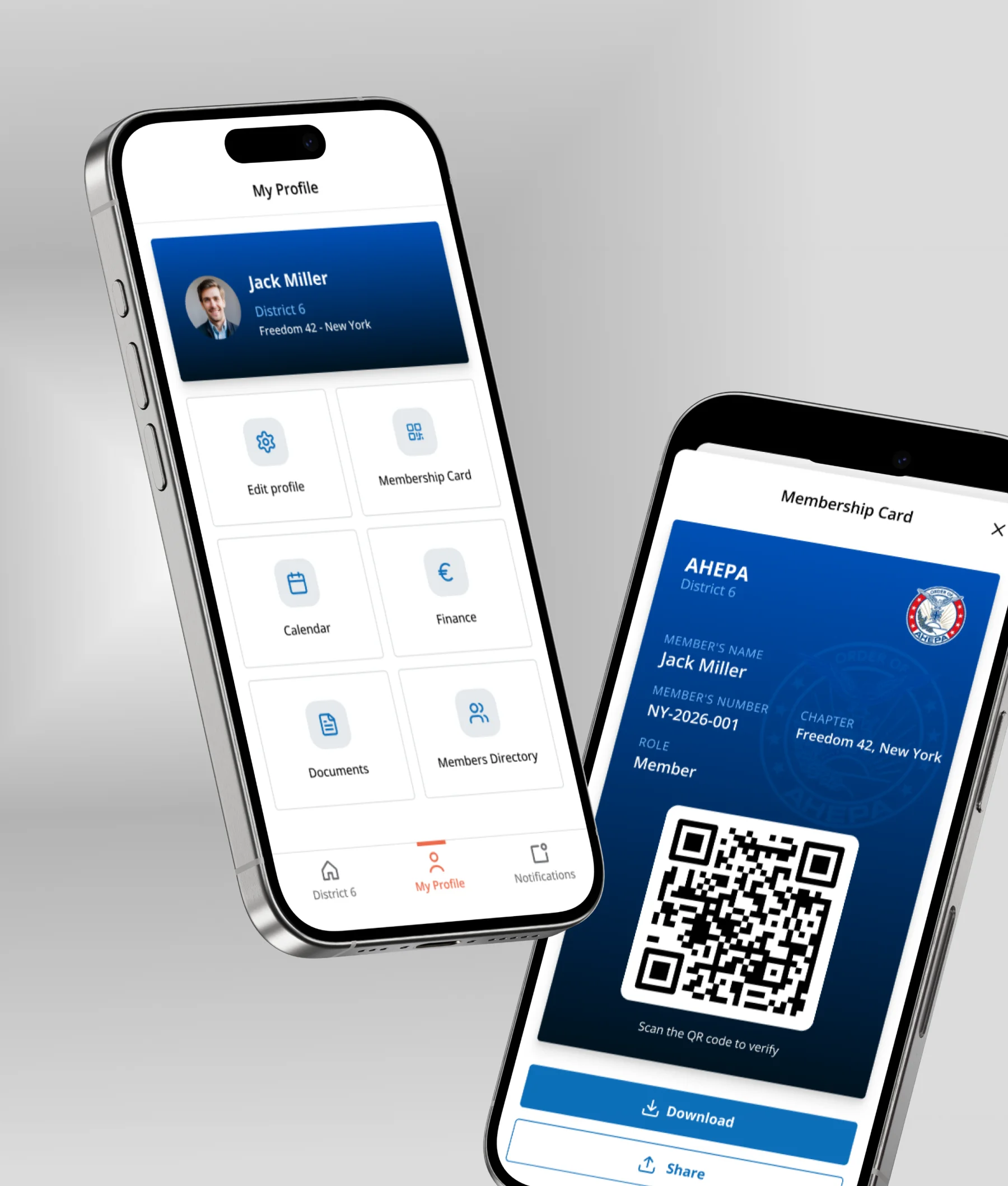
AHEPA Connect
One member app, a branded build per district
iOS and Android member app, REST API and admin dashboard, shipped as a separate branded product per district
-
Strategy
One codebase, one API, per-district builds — so a new district is configuration, not a new project
-
Design
Bilingual EN/EL, light theme, with a separate accent palette for administrator screens
-
Client
AHEPA CONNECT — District 25 (Greece) & District 6 (New York)
-
Tags
Android, Firebase, Flutter, Google Cloud Run, iOS, Multi-tenant, NestJS, PostgreSQL
AHEPA
One codebase. One branded app per district.
AHEPA CONNECT is a fraternal organisation with districts across Greece and the United States, each running its own chapters, events and members. We built a member app that ships as a separate branded product for every district, from a single Flutter codebase and one API. District 25 went live for its 1,500 members in Greece. District 6, New York, is built and waiting on the store.
Everything lived in three places and none of them talked
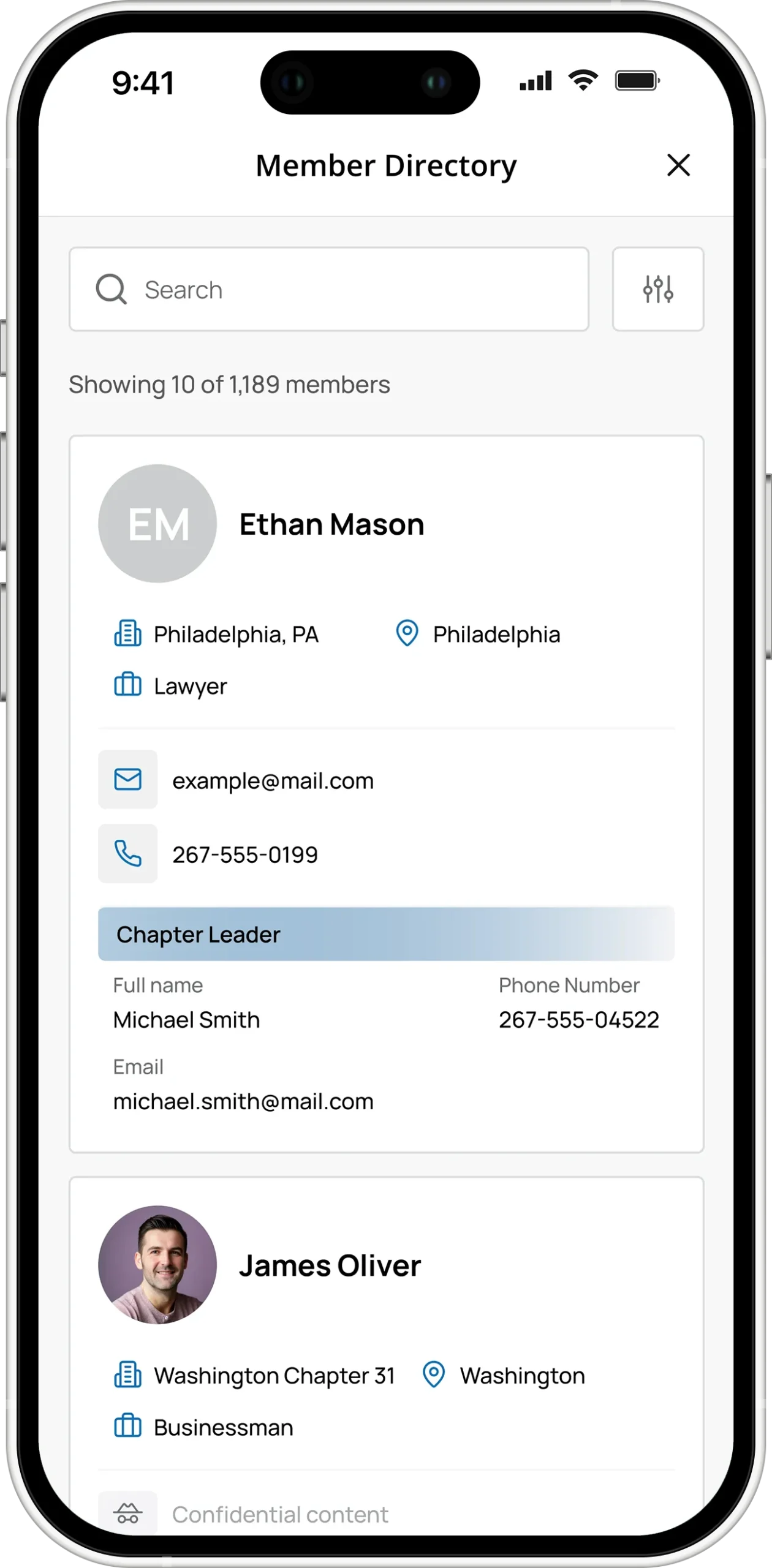
Chapter secretaries kept member lists in spreadsheets that were already out of date by the time they were shared. Event announcements went out on Viber and email, and whoever showed up, showed up — attendance was a printed sheet and a pen at the door, if that. Subscriptions were tracked in a notebook per chapter, which meant nobody at district level could answer a simple question like who has paid this year. News was published on the district website and then re-typed, badly, into whatever channel reached members first.
Every district had the same problem and had solved it slightly differently, so there was nothing to standardise on. The obvious answer — build one app for AHEPA — was wrong: a member in Thessaloniki and a member in New York have different chapters, different languages, different governing documents, and no reason to see each other’s content.
A product, not a project
Three things ship together: the member app on iOS and Android, a REST API that serves every district from one deployment, and a web dashboard where administrators do the work that used to happen in spreadsheets.
The app is usable before you sign in. A visitor browsing the store gets the district’s news, chapters and upcoming events with no account, hitting the sign-in wall only on the personal parts — their card, their dues, their documents. That one decision removed the biggest source of drop-off for an organisation whose members are not all comfortable creating accounts.
The membership card is also the ticket
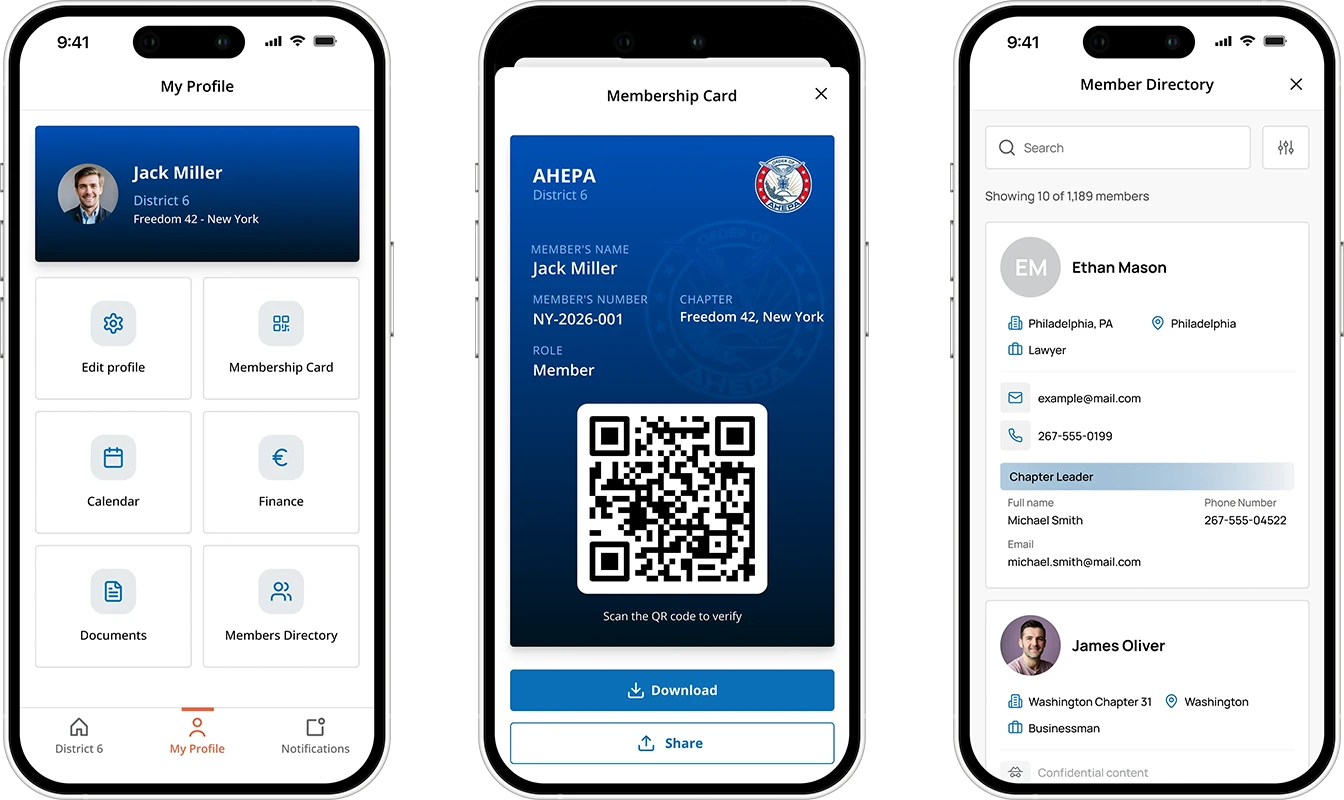
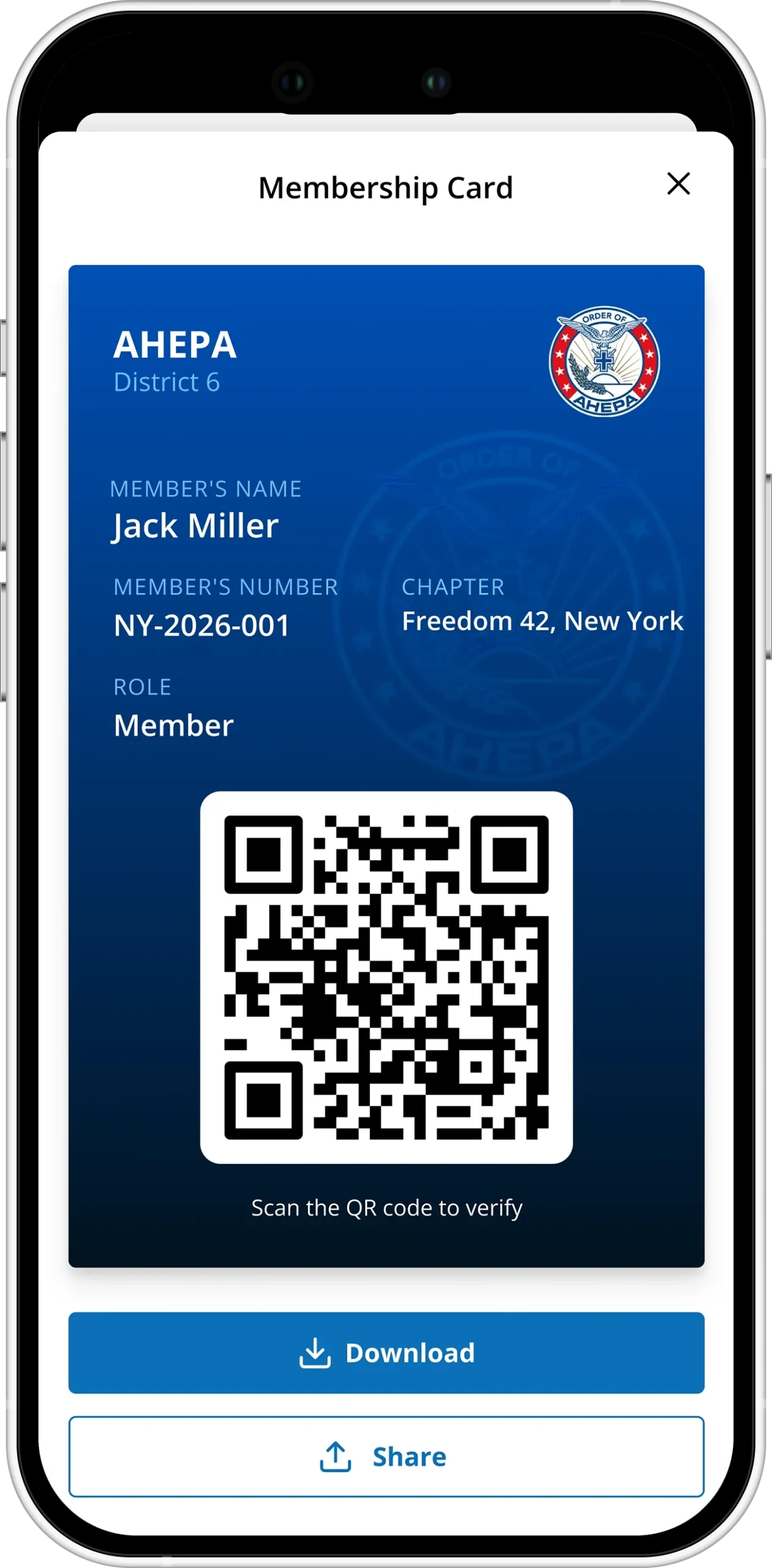
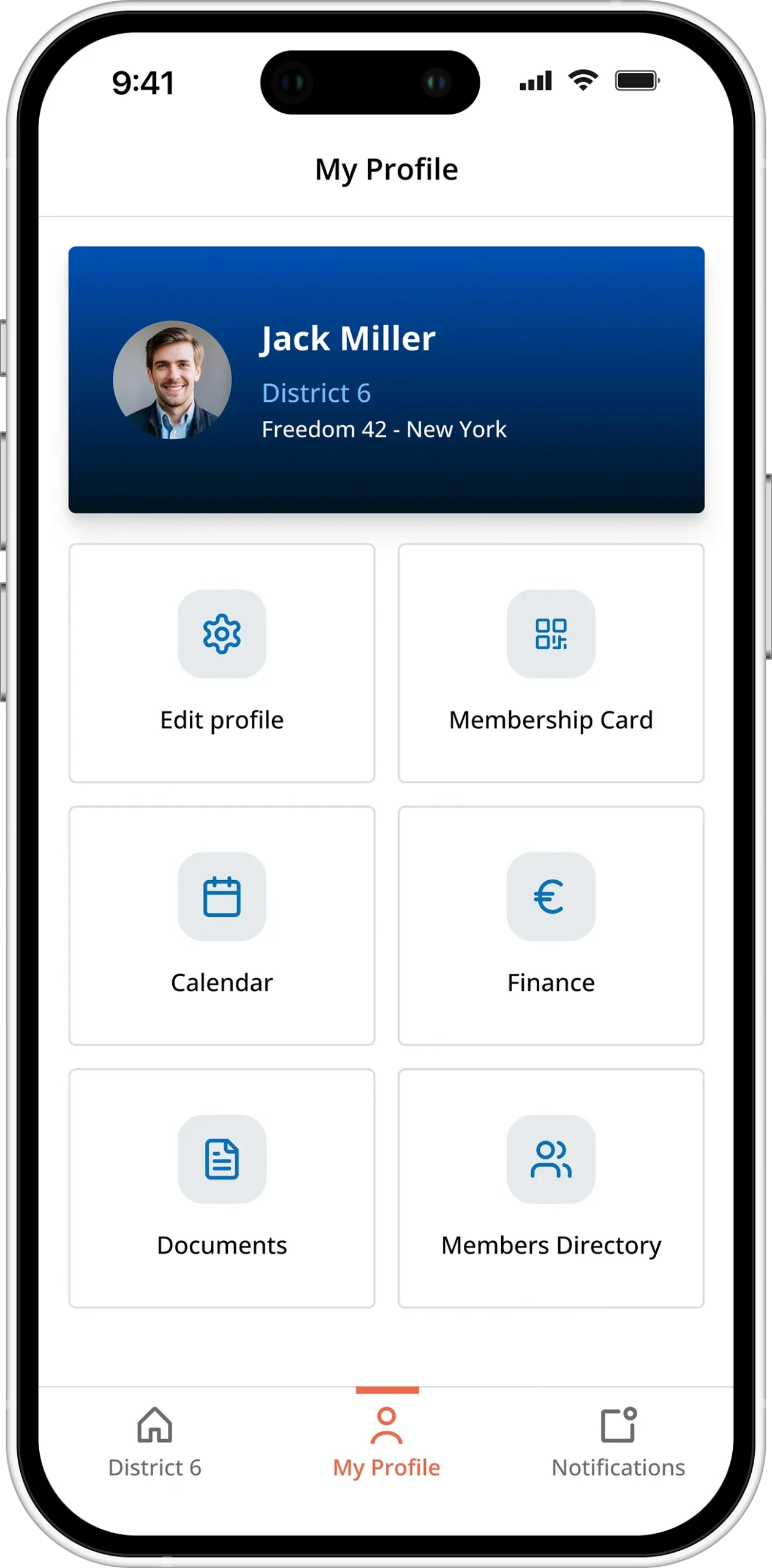
Every member carries a digital card with their name, member number, chapter and role, and a QR code bound to their ID. At an event, the chapter administrator opens the scanner, scans the card, and the scanner immediately re-arms for the next person. Attendance is recorded as people walk in, including anyone who turned up without declaring. The same object solves identity and check-in, so there is nothing extra to hand out and nothing to lose.
Events that go through approval, not through a group chat
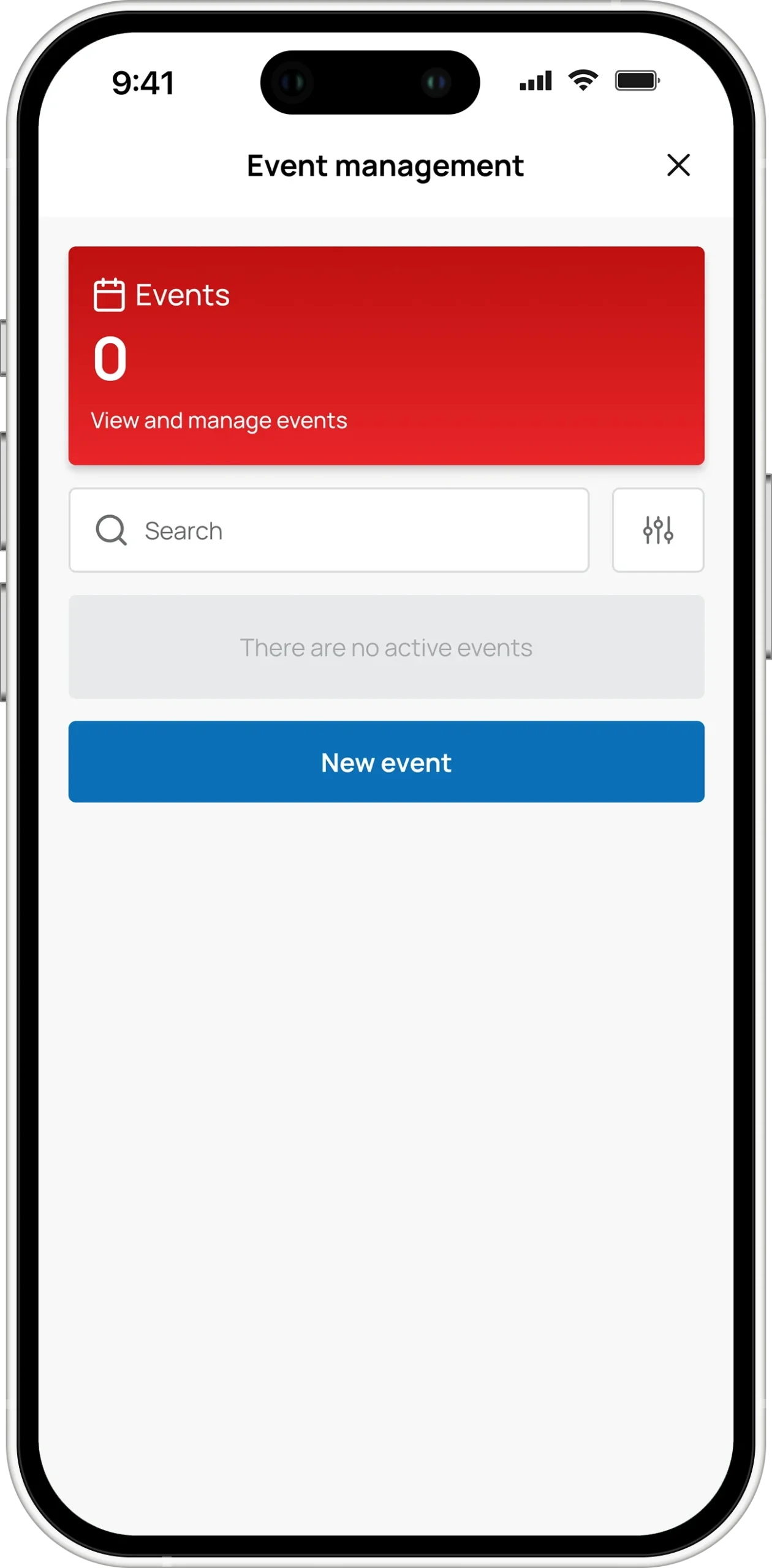
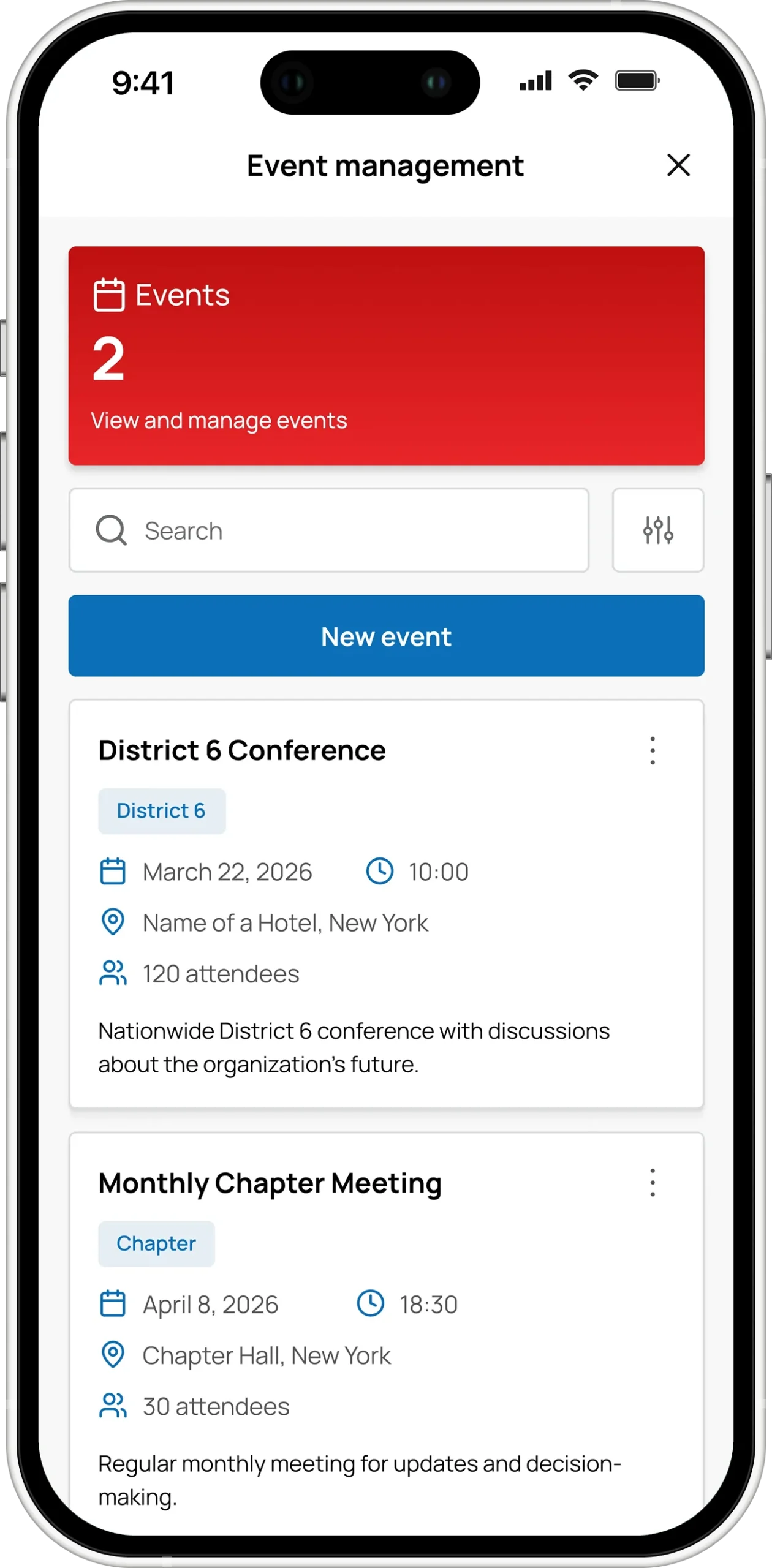
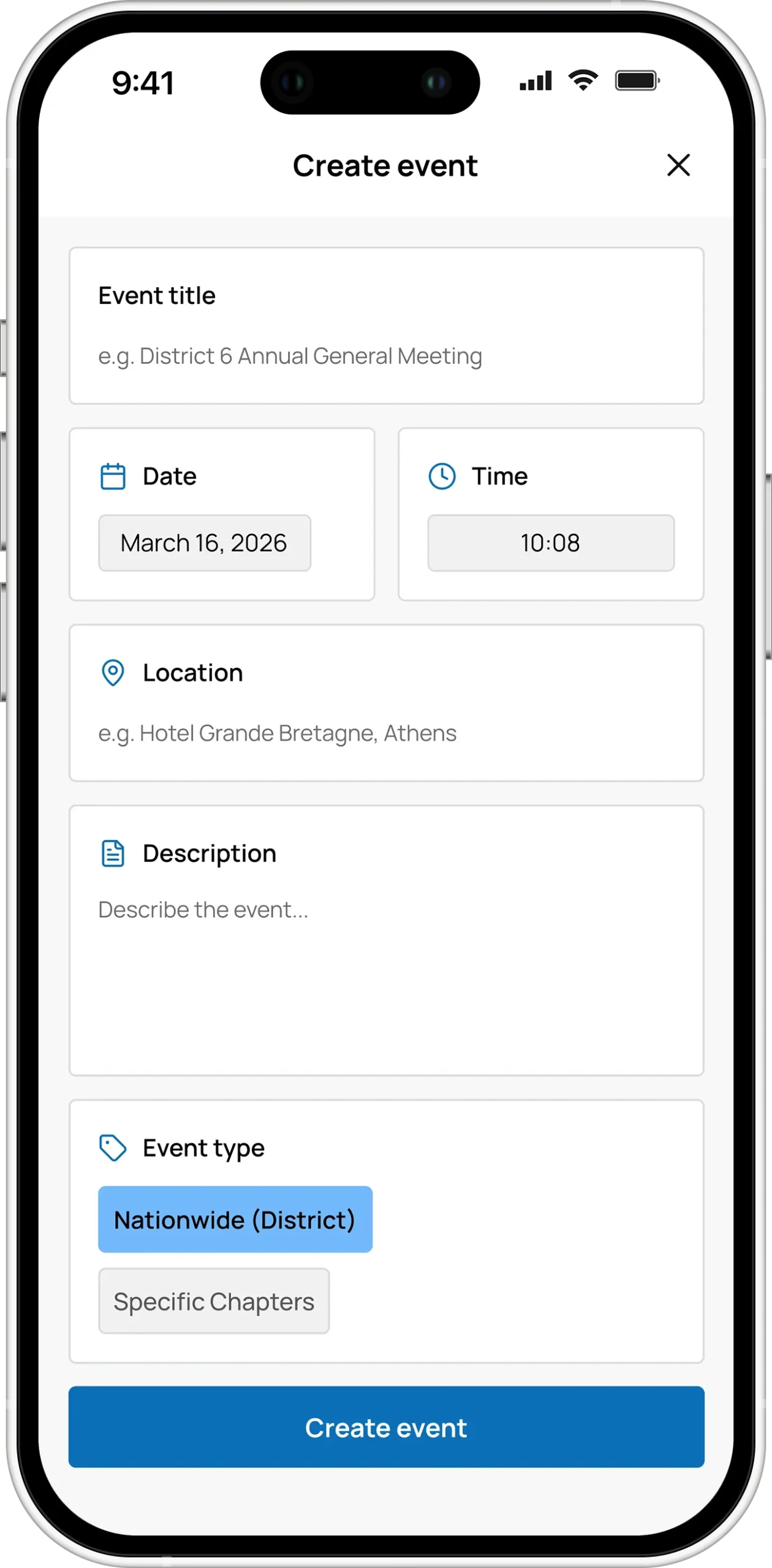
Chapter administrators create events; the district administrator approves before anything is published. Members declare attendance or interest and the counter updates live. Afterwards, administrators see who actually came, and members see their own history — which events they made, which they missed.
Published once, everywhere
District 25 runs a WordPress site, District 6 runs Wix. Content approved in the app publishes to the site, and changes made on the site come back into the app. Nobody re-types anything. The server knows, per district, where to publish and how, so connecting a new district’s site is configuration, not a release.
Dues, finally in one ledger
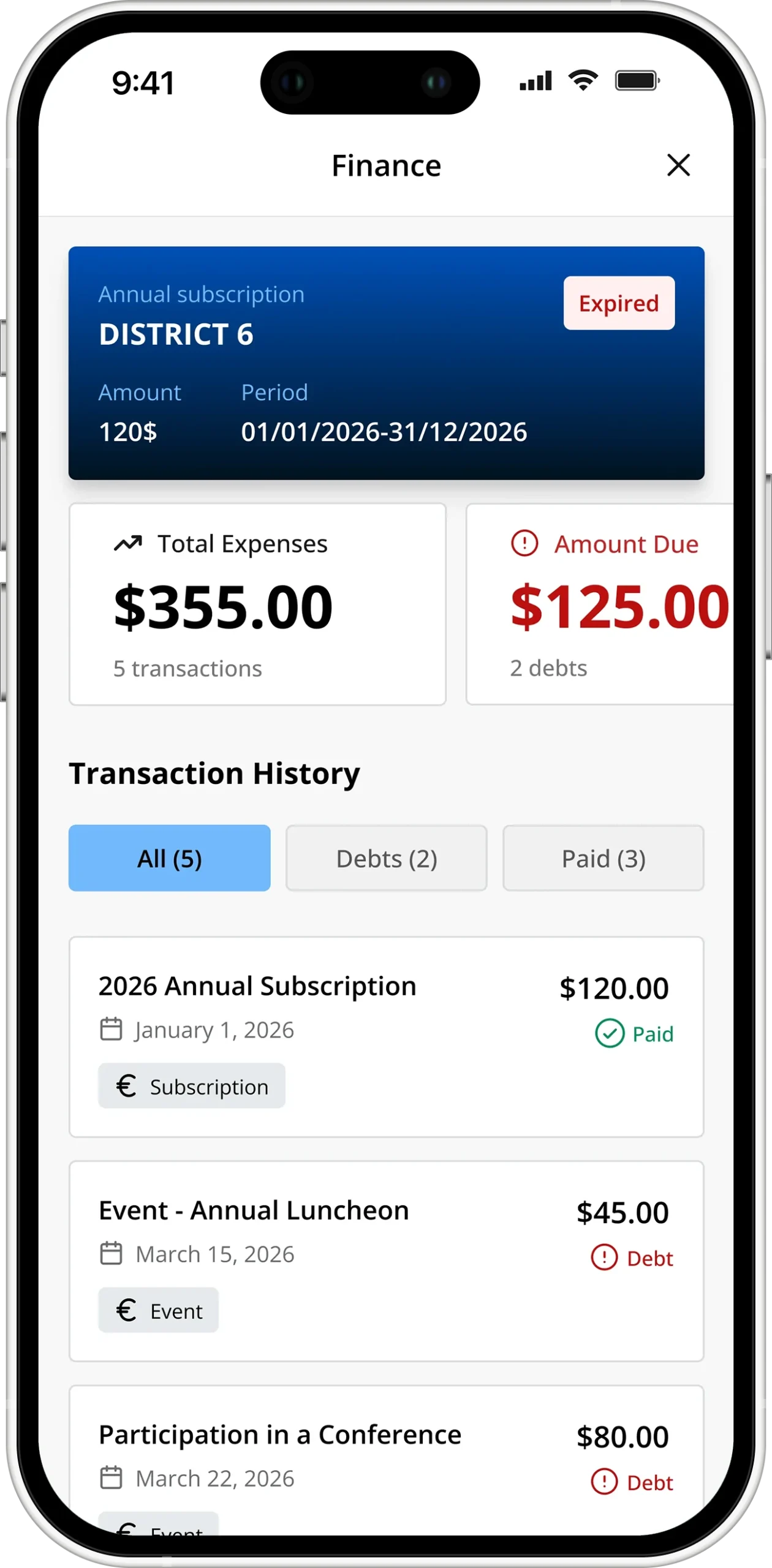
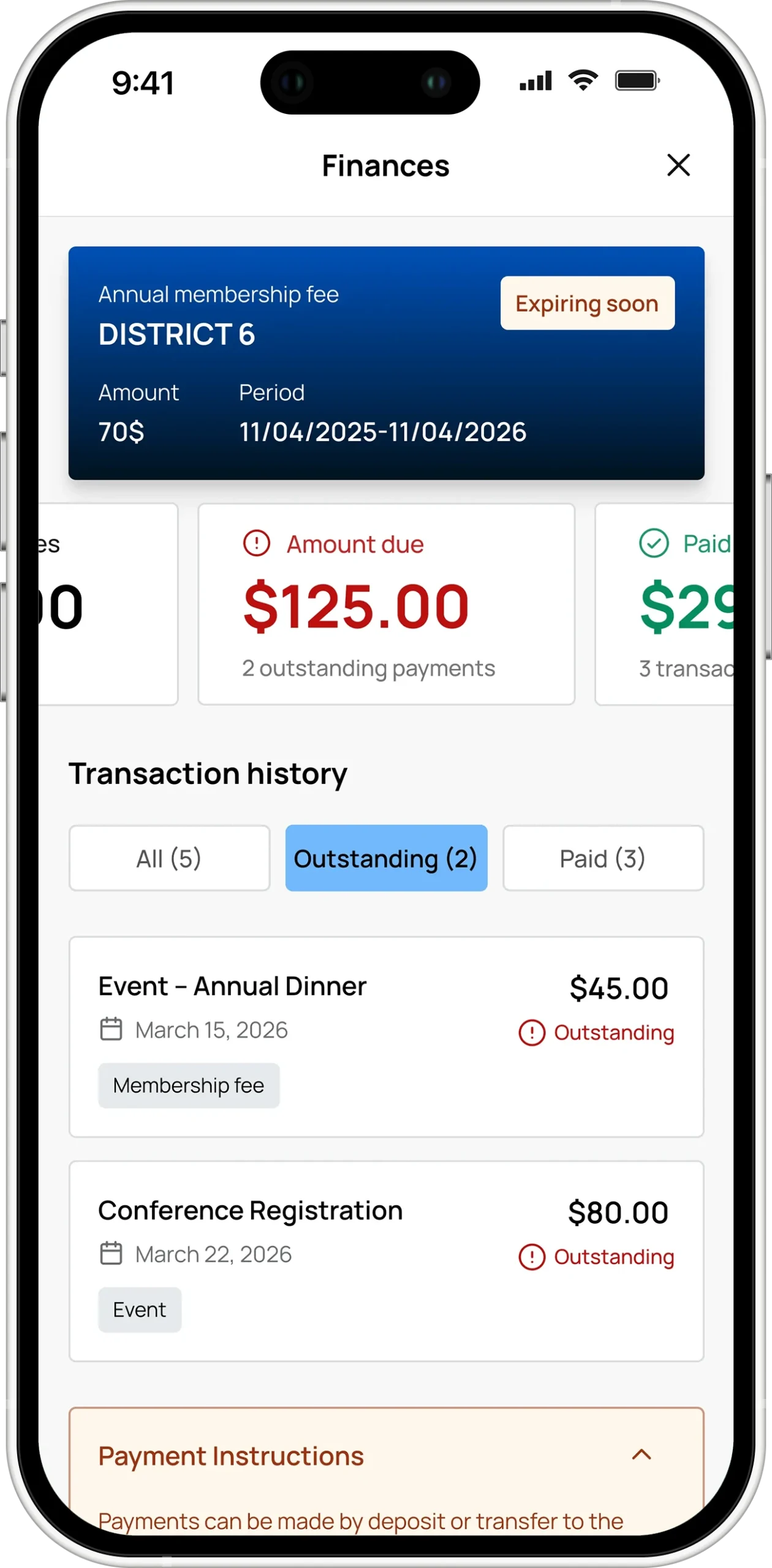
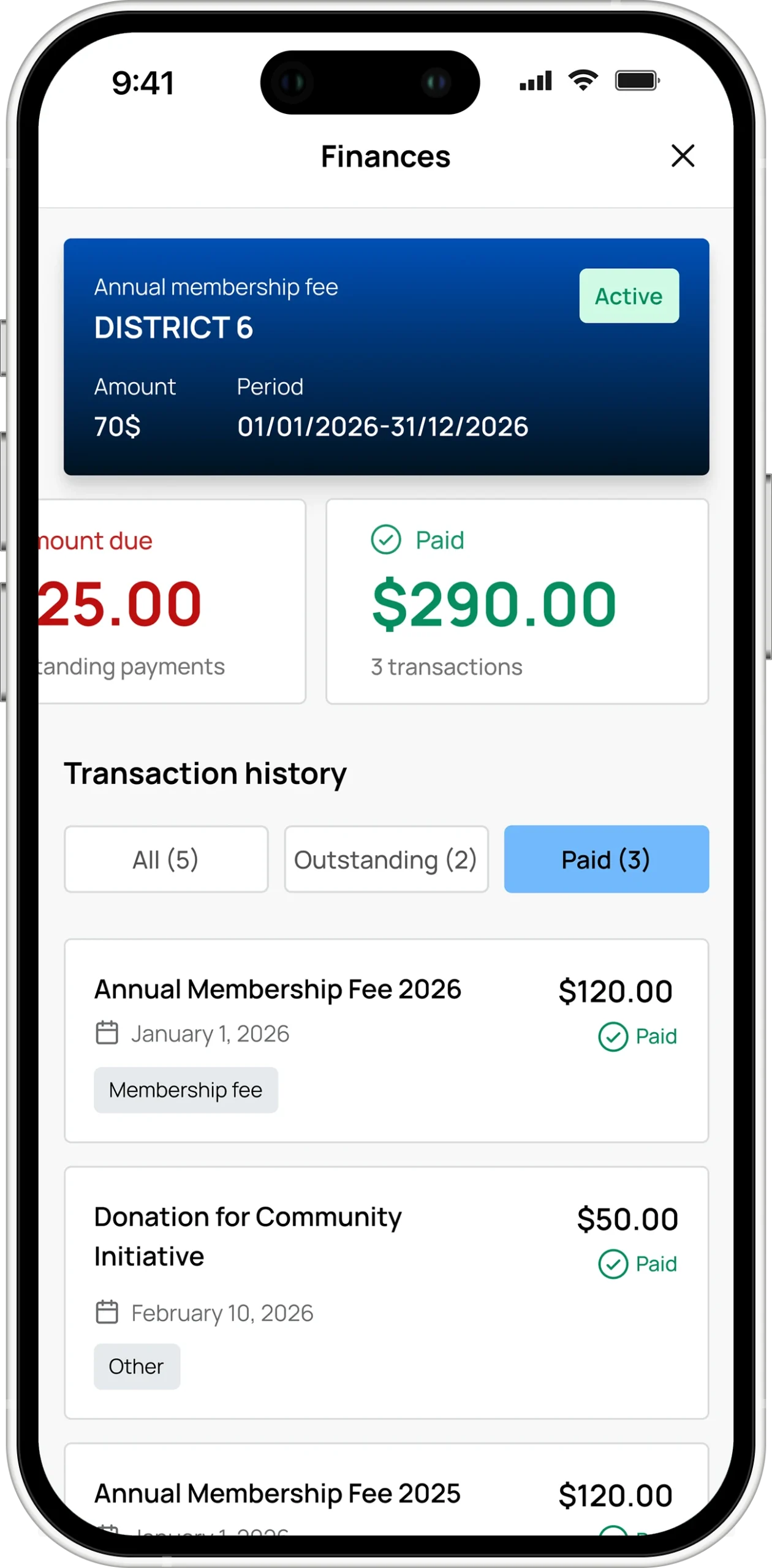
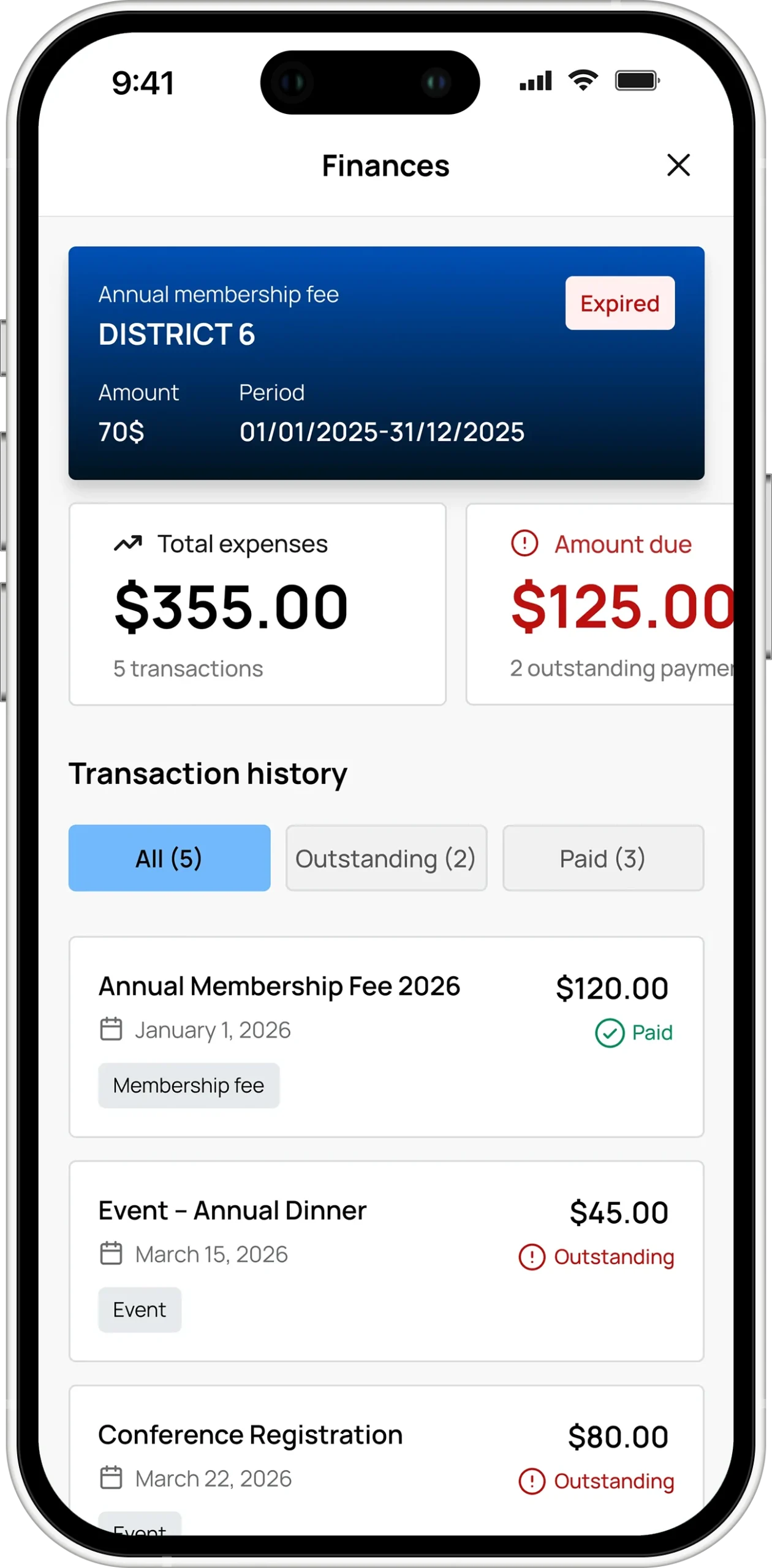
Subscriptions, event charges and other debts are issued per member, with an amount, a period and a status. Members see what they owe and what they have paid, split into two tabs with a running total. Administrators see the same thing across a chapter or the whole district, and mark entries as settled. Payment itself still happens the way it always has, in person or by transfer — the app is the record of who owes what, not a payment processor.
An assistant that cites its sources
District 25 bundles its Statute and Regulations in the app, so we put a retrieval-backed assistant in front of them. Ask a question about the organisation and the answer expands to show the documents it came from. It accepts voice input in Greek or English. District 6 does not have it, and in that build the screen, the entry point and the route do not exist in the binary at all.
Adding a district is adding one line
Every fact that differs between districts — brand name, bundle id, default language, which manuals ship, whether the AI assistant exists — lives in a single enum. No screen in the app checks which district it is running in. When we add a district, the compiler lists everything that has to change, and a build with a missing configuration does not compile rather than shipping a wrong default.
The same discipline runs through the API. Every request carries the district it belongs to, and permission is checked three ways before anything executes: who you are, what role you hold, and whether the thing you are touching belongs to your chapter. A member of one district cannot use another district’s app, and the rule lives in one place.
The result is that District 6 — different brand, different language, different governing documents, no AI — took a fraction of the effort of District 25, and none of it was rework.
One team, from idea to store
Product design, mobile, backend and the admin dashboard were all ours. A team of twelve: product design lead, mobile developers, web developers, backend.
Bilingual throughout, 281 translated strings per language, light and dark themes, and a separate accent palette for administrator screens so privileged actions never look like ordinary ones. iOS release is automated end to end — the build asserts its own bundle id, version, signing certificate and push entitlement before it is allowed near TestFlight.
Stack
- Mobile: Flutter · Dart · go_router · Provider
- Backend: NestJS · Google Cloud Run
- Identity: Firebase Authentication
- Push: Firebase Cloud Messaging
- Data: PostgreSQL · SQLite (on-device)
- AI: Retrieval-backed assistant on Cloud Run
- Admin: Firebase-hosted web dashboard
AHEPA CONNECT
AHEPA CONNECT D25, Greece


AHEPA CONNECT D6, New York