Noema Personalized Astrology
Astrology app that reads your whole natal chart
Consumer iOS and Android app, astrology and AI backend, and back-office admin, with auto-renewing subscriptions on both stores
-
Strategy
Astrologer-written content with AI on top: the AI writes the daily text but never invents the astrology
-
Design
Dark, cosmic, Greek-first, with custom-painted charts, a living starfield and a motion system for every screen
-
Client
Noema
-
Tags
Noema
Your whole chart, not your star sign.
Noema is a premium astrology app for the global market, on iOS and Android. It takes a user’s exact birth data, calculates their full natal chart, and turns it into a daily reading, a live transits feed, compatibility reports and an astrology encyclopedia. The interpretations come from two sources: a professional astrologer wrote a library of texts, and generative AI writes the parts that change every day. We designed and built the app, the backend and the back office. It was delivered in about twelve weeks.
Every horoscope said the same thing to a twelfth of the country
Most astrology apps publish one horoscope per sun sign. Everyone born in the same month reads the same paragraph. Serious astrology works from the whole chart: where every planet sits, in which house, and at what angle to the others. That depth usually comes with vocabulary that loses people on the first screen: aspects, houses, orbs, retrogrades.
The obvious shortcut was to point an AI model at a birth date and let it write. That produces text that sounds confident and means nothing, and an astrology audience notices quickly. The product needed real calculations, real astrological expertise, and daily writing fast enough to be ready every morning. It also had to feel premium enough that people would pay for it.
A chart that explains itself
Three things ship together. The first is the app on iOS and Android. The second is a dedicated backend that calculates charts and transits, holds the astrologer’s interpretation library and generates the daily readings. The third is a back office where the team edits texts, grants complimentary subscriptions and runs push campaigns.
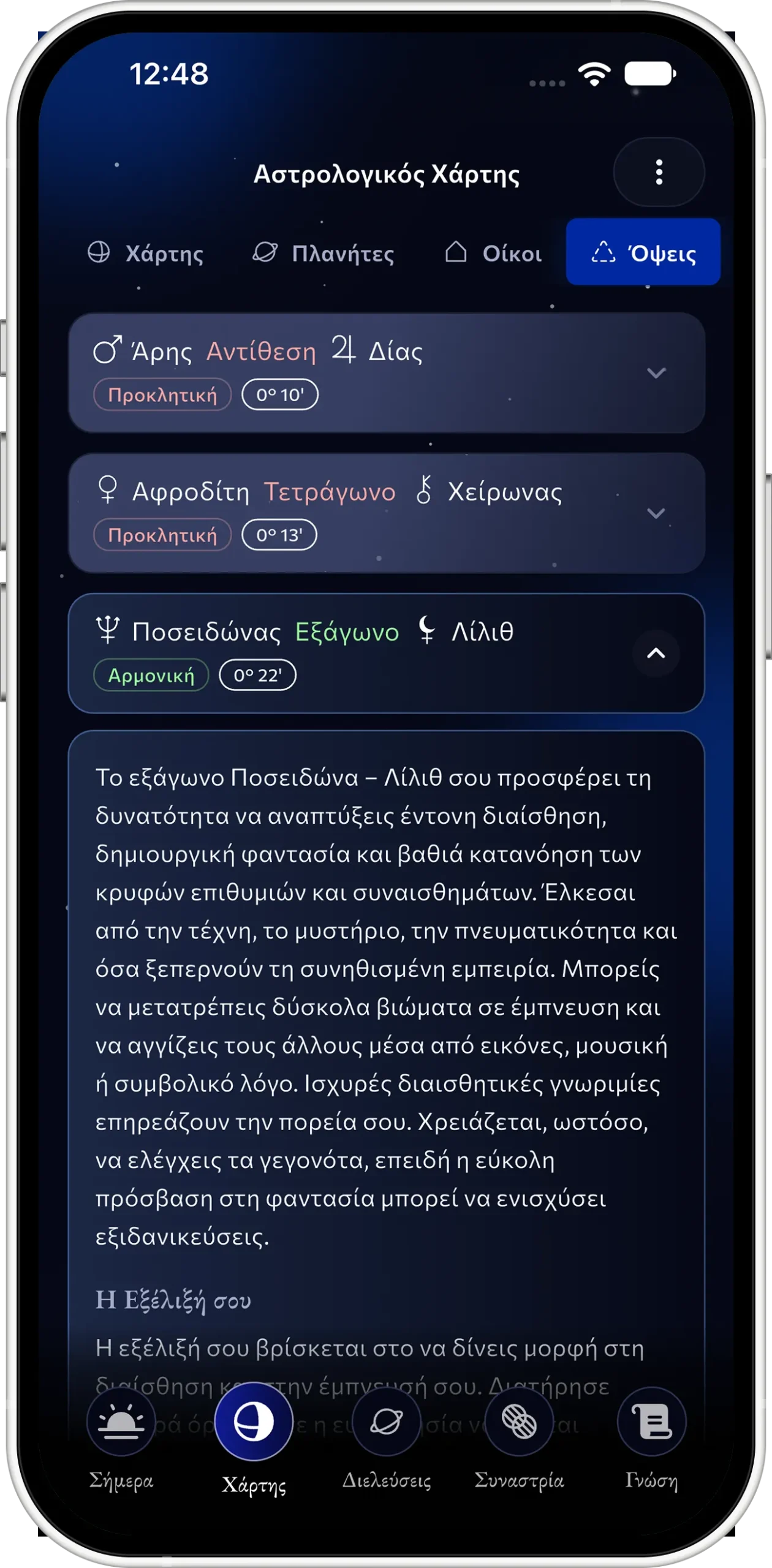
We treated jargon as a design problem, not a content problem. Every term the app uses opens a plain-language definition in one tap: aspect, house, element, retrograde. The Knowledge tab gathers all of them into an encyclopedia with a term of the day. A user who has never heard the word “synastry” can still read their compatibility report.
From sign-up to your Big 3 in a minute
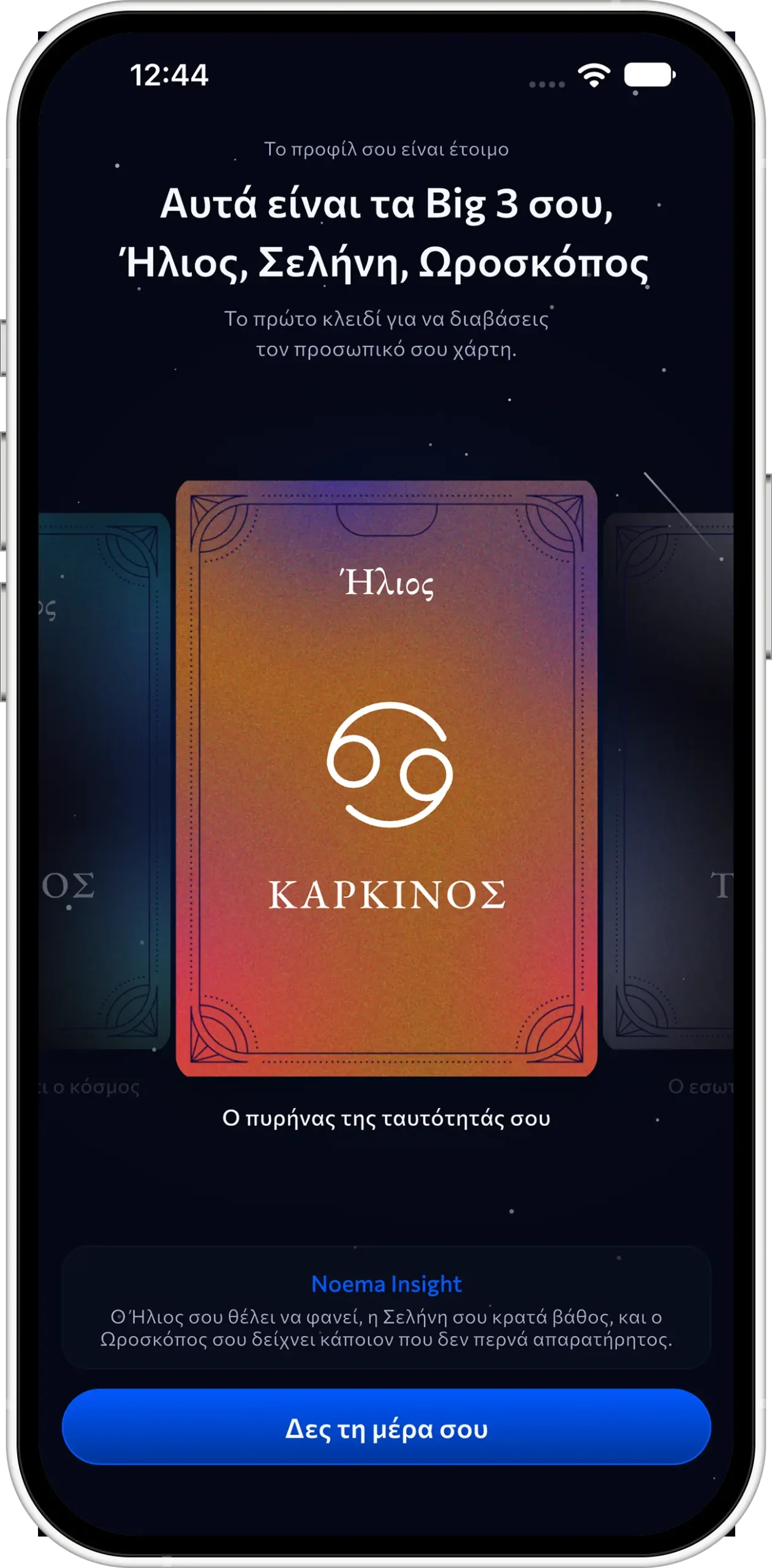
Onboarding takes five steps: name, birth details, goals, chart calculation, and the reveal of the user’s Sun, Moon and Ascendant. Birth-place search runs entirely offline over roughly 50,000 places in Greek and Latin script, and the timezone is worked out from the location, so nobody is ever asked for one. Users who don’t know their birth time can still continue, and the app explains the approximation. If someone leaves halfway, the wizard reopens at the first unfinished step, even on another device. While the user is reading their Big 3, the app is already fetching today’s forecast, so the dashboard opens instantly.
A day with a score, and a reason
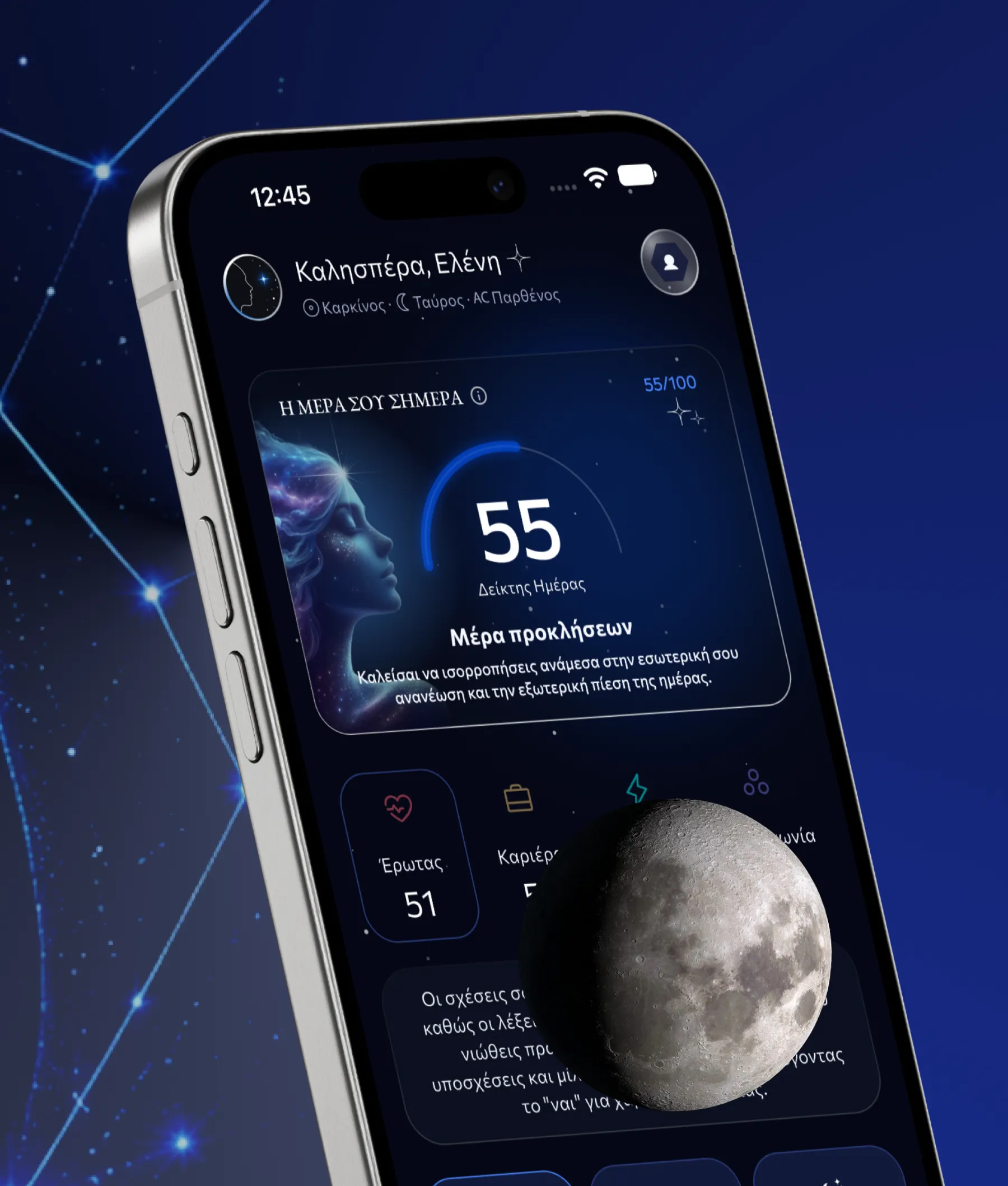
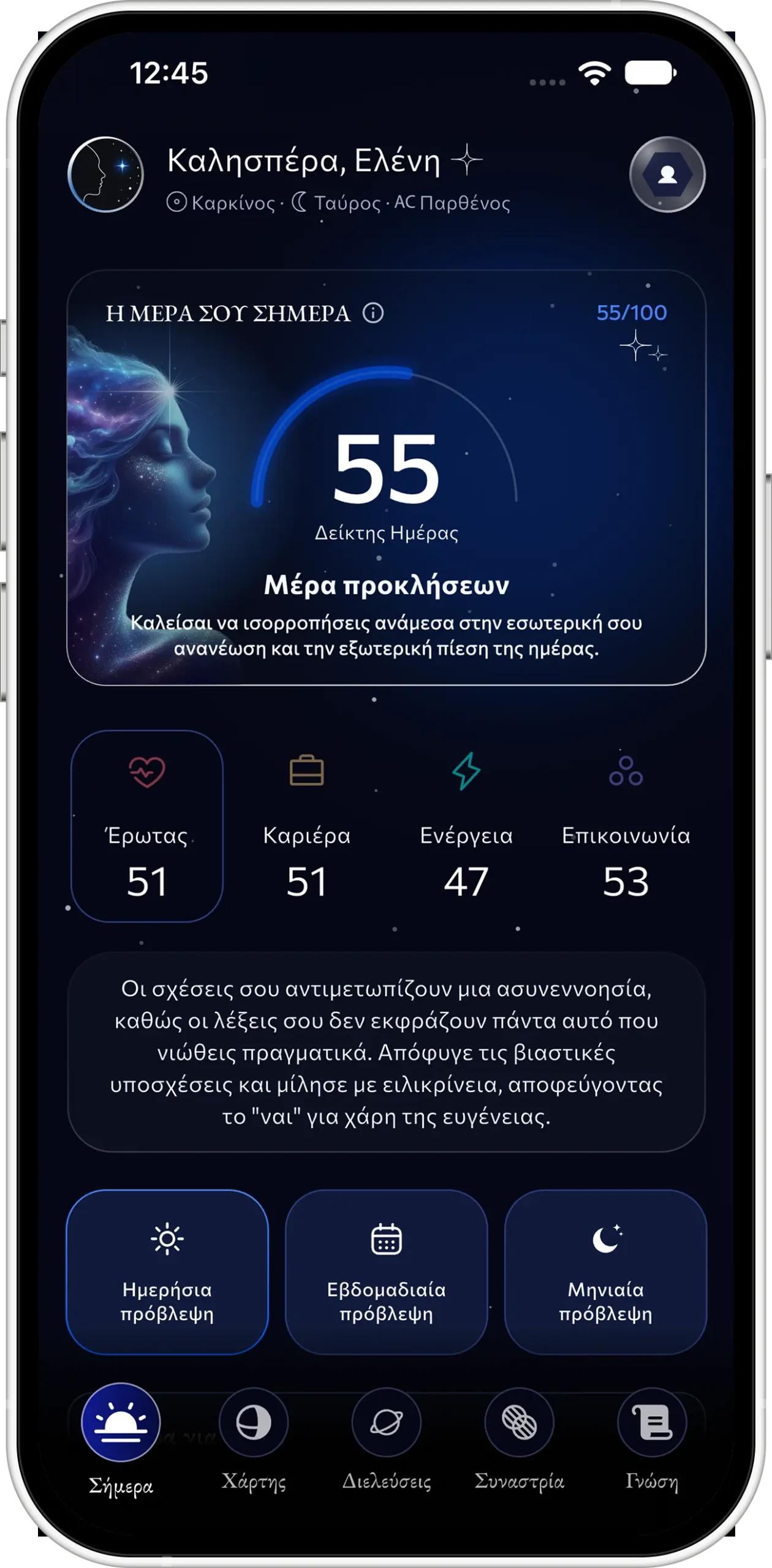
The Today tab scores the day from 0 to 100 and breaks it into Energy, Love, Money and Communication. Each score has its own reading. Next to it are the theme of the day, what the day favours and what it doesn’t, and a moon card with phase, illumination and a countdown to the next phase. Weekly and monthly readings are one tap away. None of it is a sun-sign horoscope: every line is written from that user’s chart and that day’s sky.
A natal wheel, drawn for one person
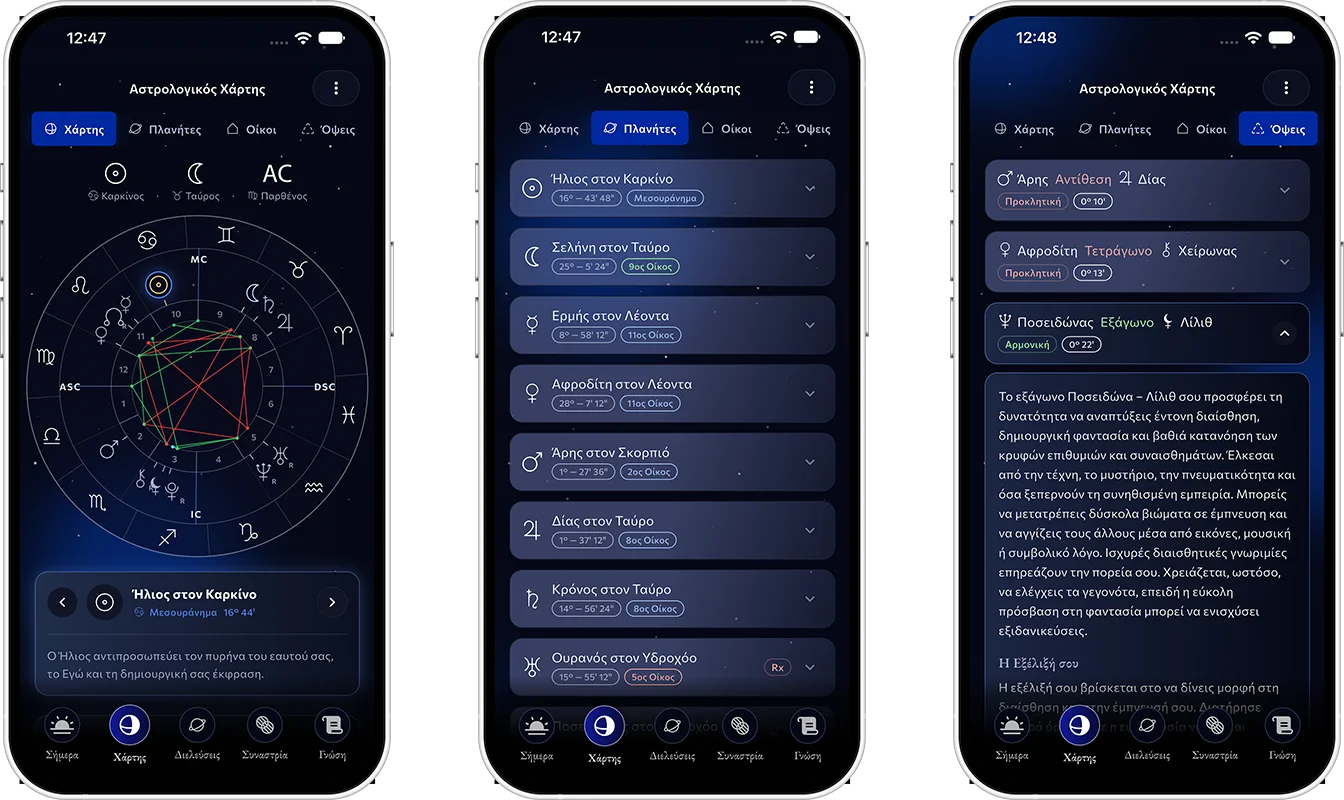
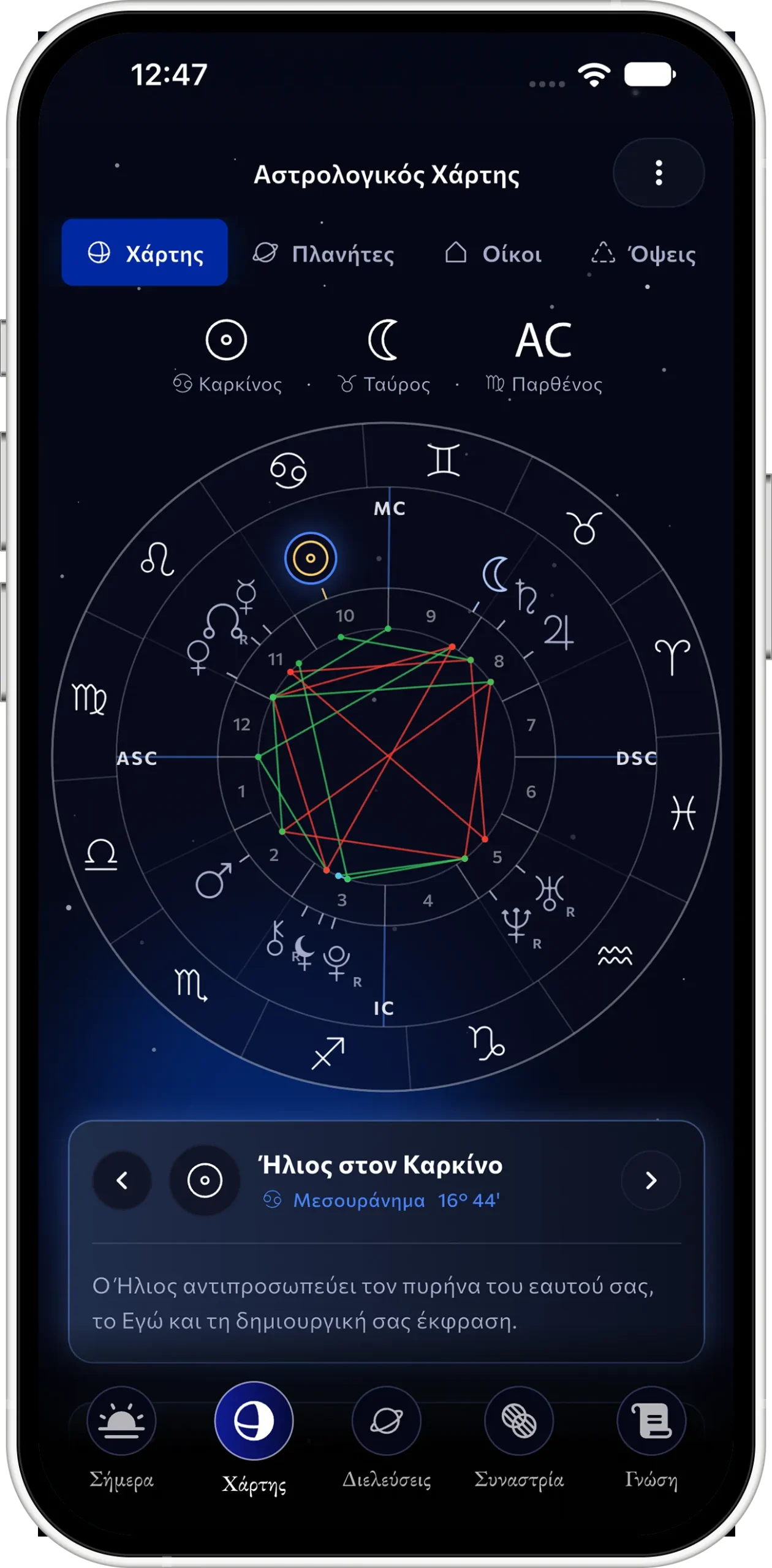
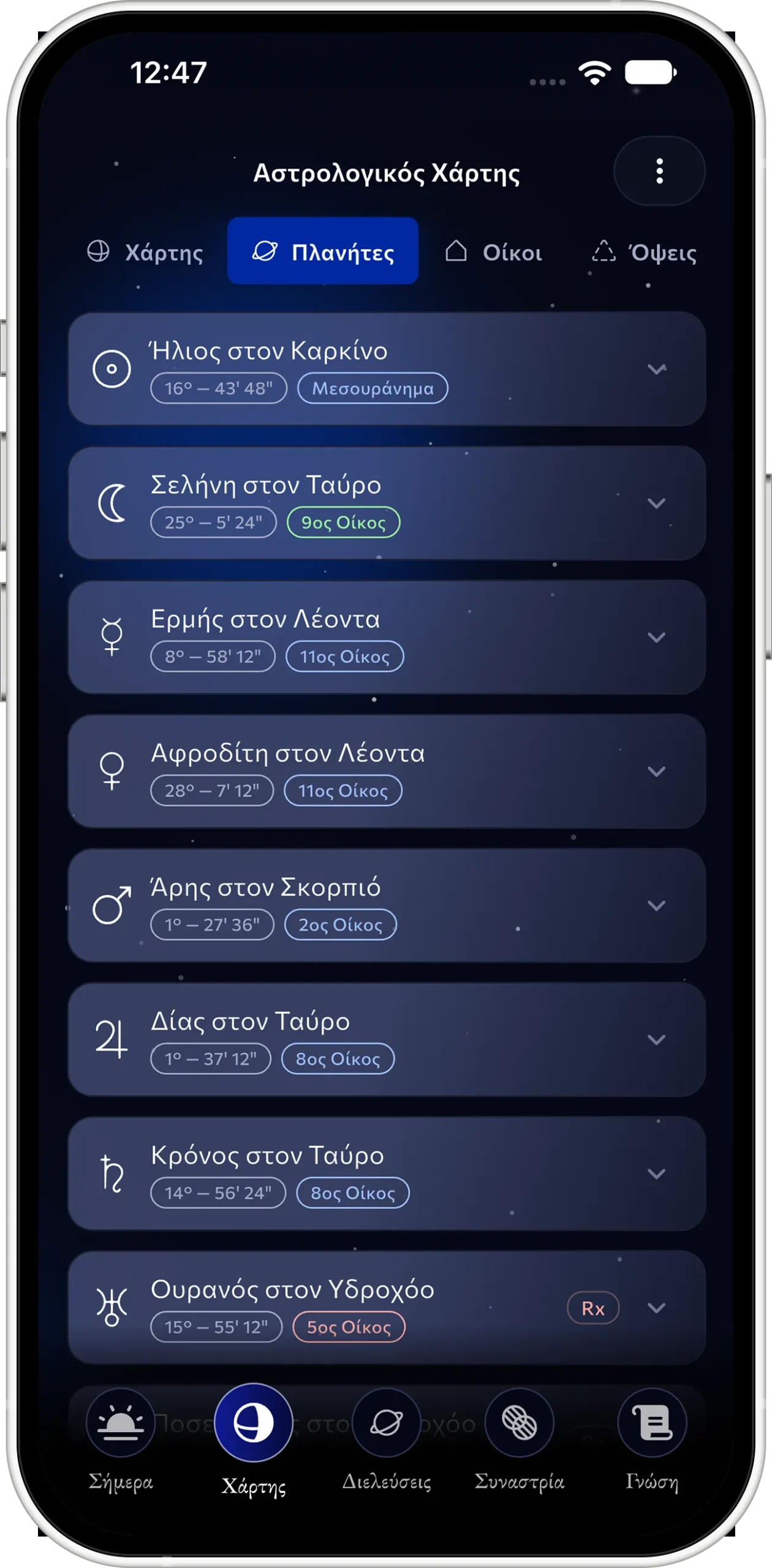
The Chart tab paints the user’s natal wheel: the zodiac ring, 15 points at their exact degree, house cusps, the Ascendant and Midheaven axes, and a colour-coded web of aspects. Planets, houses and around 30 aspects each open the astrologer’s own interpretation. Cosmic History keeps a calendar of past daily forecasts, so a user can look back at how a week actually went.
Today's sky, against your own chart
Transits shows how the planets moving today touch the user’s natal chart, usually 40 to 55 active aspects, ordered the way the astrologer specified. Fast planets show the exact time of the peak. Slow ones show the whole window and every exact pass, including retrograde ones. The six aspects that today’s forecast was written from are flagged as key, so the Today tab and the Transits tab always tell the same story.
Compatibility, with the working shown
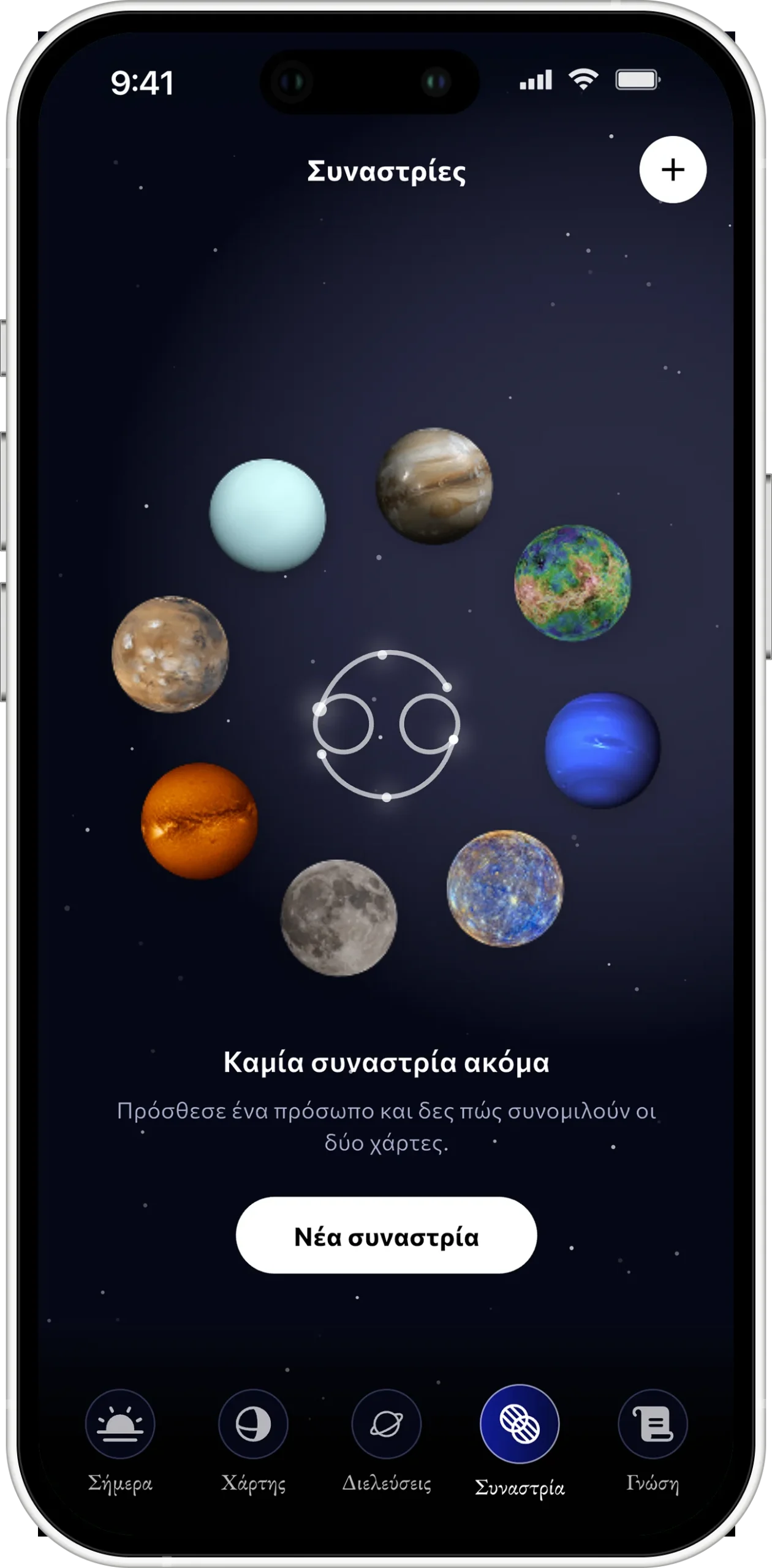
Synastry compares two charts and returns an overall score, three sub-scores (Communication, Emotions, Passion) and the five aspects that drive them. An AI-written report, Noema Insight, turns that into a summary, a reading for each area and advice. Free users get one comparison a week and a preview of the report. Premium removes both limits.
Written by an astrologer, finished by AI
The astrology itself is never generated. Charts, transits and the timing of every aspect come from a Swiss Ephemeris engine, the same standard professional astrologers use. Each chart is matched server-side against the astrologer’s library, about 70 personal texts per user. Every text is versioned, so edits reach users without an app release.
The AI (Google Gemini) writes only what changes: the daily, weekly and monthly readings and the compatibility reports. Its prompts are grounded in the user’s placements, the moon phase and the astrologer’s texts for the aspects active that day. The day’s percentages come from the astrologer’s own scoring, not from the model. Every user’s forecast is pre-generated overnight. If a request arrives before then, it triggers exactly one generation, and every later read comes back in under 150 ms.
The app follows the same discipline. It uses a strict one-way architecture: services, then repositories, then view models, then views. The last audit found zero violations. The starfield behind every screen is mounted once and never reloads between pages. Every animation runs without rebuilding the screen and pauses when the app is in the background. 874 hard-coded colours and fonts were moved onto design tokens that come straight from Figma, so the visual language cannot drift.
One team, from idea to store
Product design, mobile, backend and the back office were all ours. A team of 12 roles. We went from first commit to a store-ready build in about twelve weeks, with more than 500 commits.
Greek throughout, with Greek typography rules applied properly: capitals without accents, and search and matching that ignore accents. Every push and pull request runs more than 400 automated tests. Crashes are reported through Crashlytics. A store build refuses to start if a single production setting is missing.
Stack
- Mobile: Flutter · Dart · go_router · Provider · flutter_hooks
- Backend: REST API on Google Cloud Run
- Astrology engine: Swiss Ephemeris
- AI: Google Gemini
- Identity: Firebase Authentication
- Push: Firebase Cloud Messaging
- Payments: RevenueCat · StoreKit · Google Play Billing
- Quality: Firebase Crashlytics · GitHub Actions
- Design: Figma design tokens · custom-painted charts and motion
Noema – Personalized Astrology